- TECHNICAL CASE STUDY
Building Voxa.
Notes on the architecture, decisions, and trade-offs behind Voxa - a soundboard studio for Android.
- Platform
- Android 9.0+ (API 28)
- Stack
- Kotlin · Jetpack Compose · ExoPlayer (Media3)
- Build time
- ~ 4 months, evenings & weekends
- Released
- 6th June 2026
- Download
- Google Play ↗
01 What the app does
Voxa is a soundboard studio for Android. You import sounds, then play them back at a touch of a button. It gives complete control over how those sounds are played - they can be looped, faded in and out, and played over each other or queued. Sounds can be played from multiple soundboards at once, and all stopped at the same time.
The audience is musicians, streamers, podcasters, and anyone who wants reliable instant playback without using a full DAW.
02 Why I built it
I’ve always enjoyed playing around with music production software, and used to have a Roland SP-303 that I would record samples from records on. When I was looking for inspiration for my next app, I noticed the popularity of soundboard apps - but almost all of them came with a fixed set of pre-loaded sounds and no way to make them your own.
I thought it would be interesting to build an app where users can bring their own sounds (though Voxa ships with some ready to go too). There were other apps on the market already, but I knew I could offer something different: a more modern, flexible experience built on current Android best practices.
03 Main technical decisions
Audio engine: ExoPlayer (Media3)
MediaPlayer is adequate for simple use but offers no
fine-grained control over playback state, volume ramping, or looping
behaviour. I built the playback layer on top of ExoPlayer
(Media3), which provides a rich Player.Listener
callback surface, predictable seek semantics, and first-class support for
gapless looping. Each sound owns a single PlayerHandle;
volume fade-in and fade-out are implemented as smooth interpolated ramps.
UI: 100% Jetpack Compose with Material 3
There are no XML layouts in the project. Every screen is a
Composable backed by a ViewModel that exposes
StateFlow for one-off events such as showing a Dialog and
SharedFlow for things like UI state. UI state is collected with
collectAsStateWithLifecycle(), which automatically stops
collection when the app is backgrounded and avoids unnecessary
recomposition. Navigation is handled by Navigation
Compose with type-safe argument passing.
Dependency injection: Hilt with scoped coroutines
All ViewModels, repositories, and services are injected via
Hilt. Rather than pulling
Dispatchers directly, I defined custom
@Qualifier-annotated CoroutineScope bindings
(@MainScope, @ApplicationScope) that are
provided as singletons. This makes dispatcher behaviour explicit in the
dependency graph and easy to replace in tests.
Persistence: Room + DataStore
Sound metadata, soundboard configuration, and all settings (UI customisation,
playback defaults, sync settings) live in a Room database
with seven entities and a @Relation-based
SoundboardWithSounds join type, with DAOs returning
Flow<T> so the UI reacts to changes automatically.
Subscription purchase state is cached in a separate
DataStore Preferences store so it survives
process death without the need to go through the billing flow again.
Reactive state throughout
The data layer uses a mix of reactive and one-shot patterns. DAOs return
Flow<T> for queries that need to stay live -
such as soundboard lists and sound metadata - but use
suspend fun returning plain types for one-off lookups like
getStarterBoard(): Soundboard? and
getSoundIdsInOrder(): List<Long>. Repositories
transform and combine the streams they receive. ViewModels convert live
flows to StateFlow with
stateIn(SharingStarted.WhileSubscribed(5_000)) so the
upstream query is cancelled five seconds after the last subscriber
drops - surviving configuration changes but not prolonged
backgrounding.
Backup and restore
Voxa uses Android’s built-in Full Backup API to back
up metadata to the user’s Google account automatically, with no server
infrastructure or authentication required. The backup configuration
(backup_rules.xml) includes the Room database and the DataStore
preferences file. Audio files are deliberately excluded. Backing up audio
would push most users well past Android’s 25 MB per-app cloud backup
quota, and the files will almost certainly still be on the device anyway.
Restore is the harder problem. When Android restores an app’s
data onto a new or factory-reset device, it restores the database and
settings — but the audio files are gone.
DetectMissingAudioUseCase runs at startup and checks whether
any imported sounds reference a file path that no longer exists. If any are
missing, RestoreAudioUseCase runs a two-pass recovery:
- Pass 1 — direct URI. Each
Soundrow stores the originalUrithe user imported from. If that URI still resolves and its SHA-256 hash matches the stored fingerprint, the file is copied back into internal storage immediately. - Pass 2 — device scan. If the original URI is
stale (the file was moved, renamed, or the SD card was wiped),
RestoreAudioUseCasequeriesMediaStore.Audio.Mediafor every audio file on the device. Candidates are first filtered by duration (± 500 ms against the storedlengthInMs), so only a small subset ever reaches the SHA-256 step.
The same SHA-256 fingerprint that drives restore also powers deduplication
during import: ImportAudioUseCase hashes incoming files before
copying them, and if a matching hash already exists in the database, it
reuses the existing Sound entity rather than writing a
duplicate. Adding the same audio clip to five soundboards costs a single copy
on disk.
Device-to-device transfers use a separate
data_extraction_rules.xml configuration that includes the
sounds directory, so in that case files transfer intact and the recovery
passes are skipped entirely.
04 Accessibility
Screen-reader-safe status messages
Standard Android Toast messages aren’t reliably
announced by TalkBack. Voxa replaces every one with a
rememberAccessibleMessenger() composable that shows a
Material Snackbar instead. The SnackbarHostState
is provided once, above the entire nav host in
MainActivity, via a CompositionLocal - so any
screen, dialog, or bottom sheet can surface a message without needing
its own host, and with no ancestor host (e.g. a Compose preview) the
call does nothing rather than crashing.
State conveyed beyond colour and icon
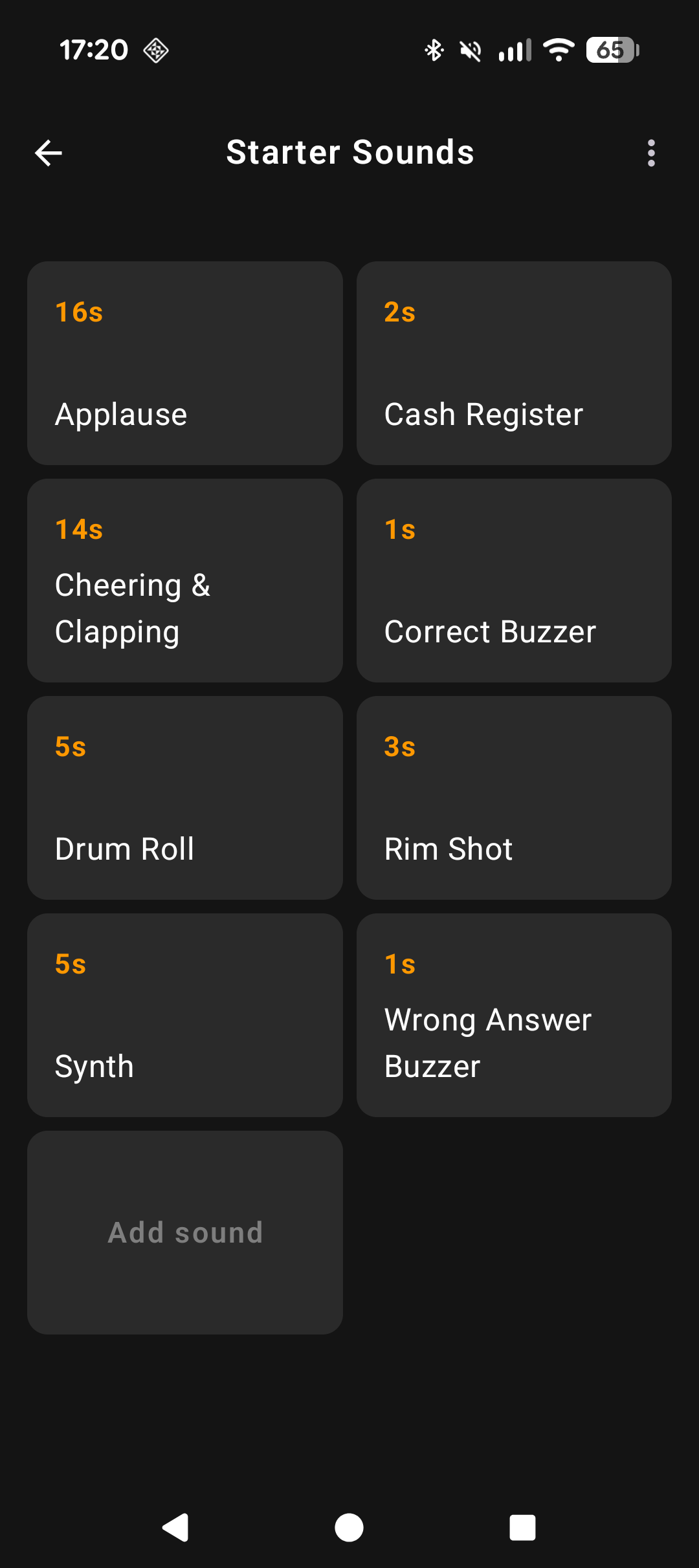
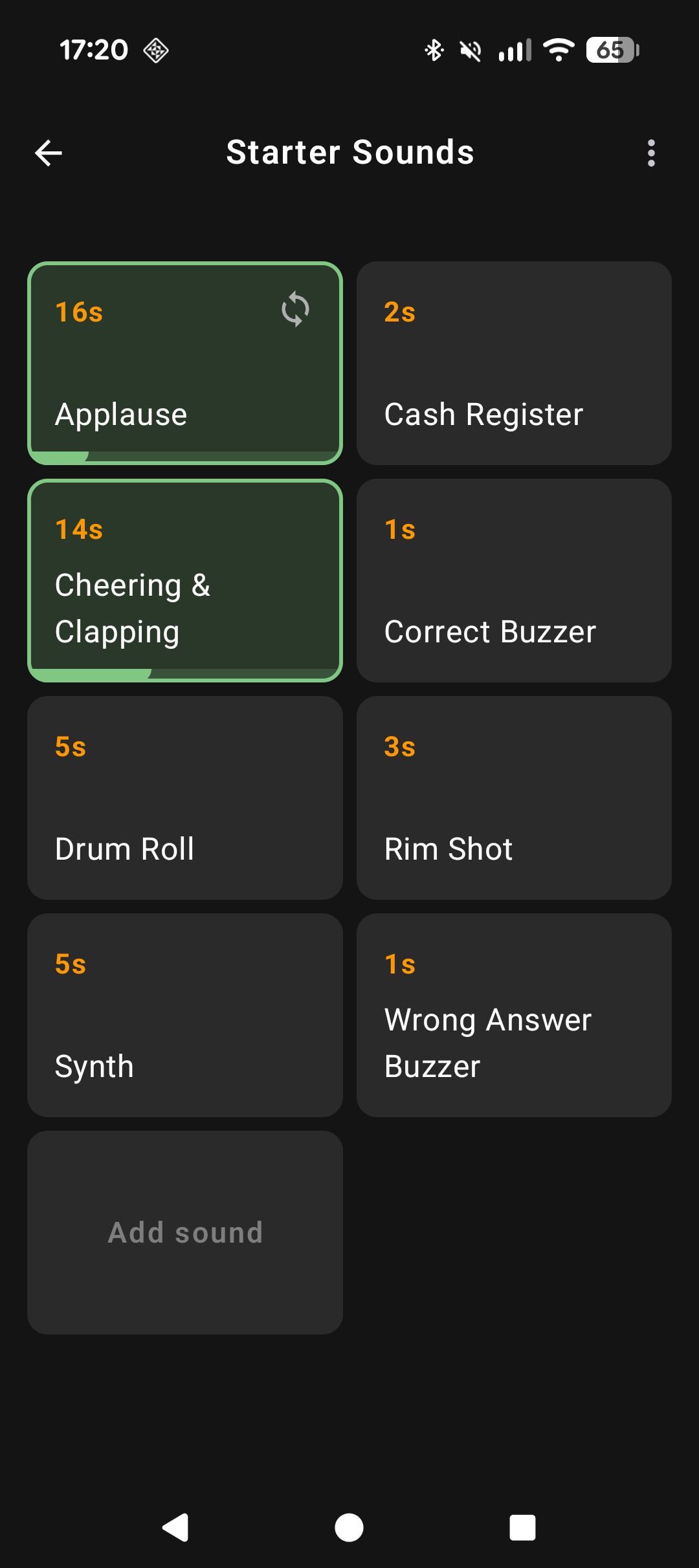
Each pad on the soundboard grid communicates its state visually -
colour changes when playing, a loop icon flashes, a queue badge shows
position. All of that is mirrored to TalkBack through
Modifier.semantics { stateDescription = … }, computed per
pad from playback state: “Playing”, “Playing, looping”,
“Queued, position 2”, “Sound file missing”, or
“Selected for deletion” while in bulk-delete mode. Because it’s a
stateDescription rather than part of the content description,
TalkBack announces just the change on recomposition instead of
re-reading the pad’s whole label every time playback state flips.
Collapsing redundant announcements
Compose’s ListItem exposes its icon and headline text as
separate semantic nodes by default, which means TalkBack reads a row
like “Stop icon… Stop all” as two announcements for
one tappable row. Every menu row in the settings and soundboard-options
bottom sheets uses
Modifier.clearAndSetSemantics { contentDescription = …; onClick(action = …) }
to merge them into a single focusable node with one label and a
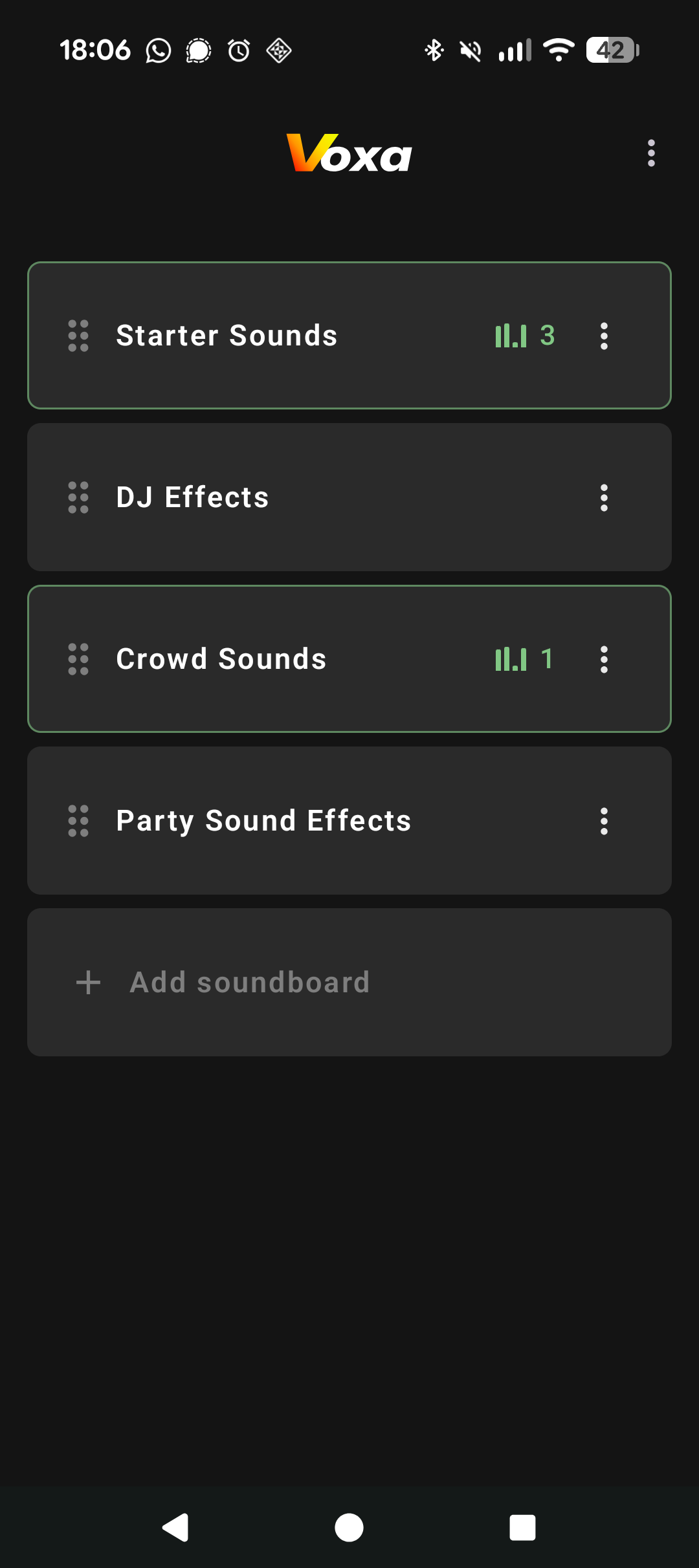
registered click action. The same pattern collapses the “now playing”
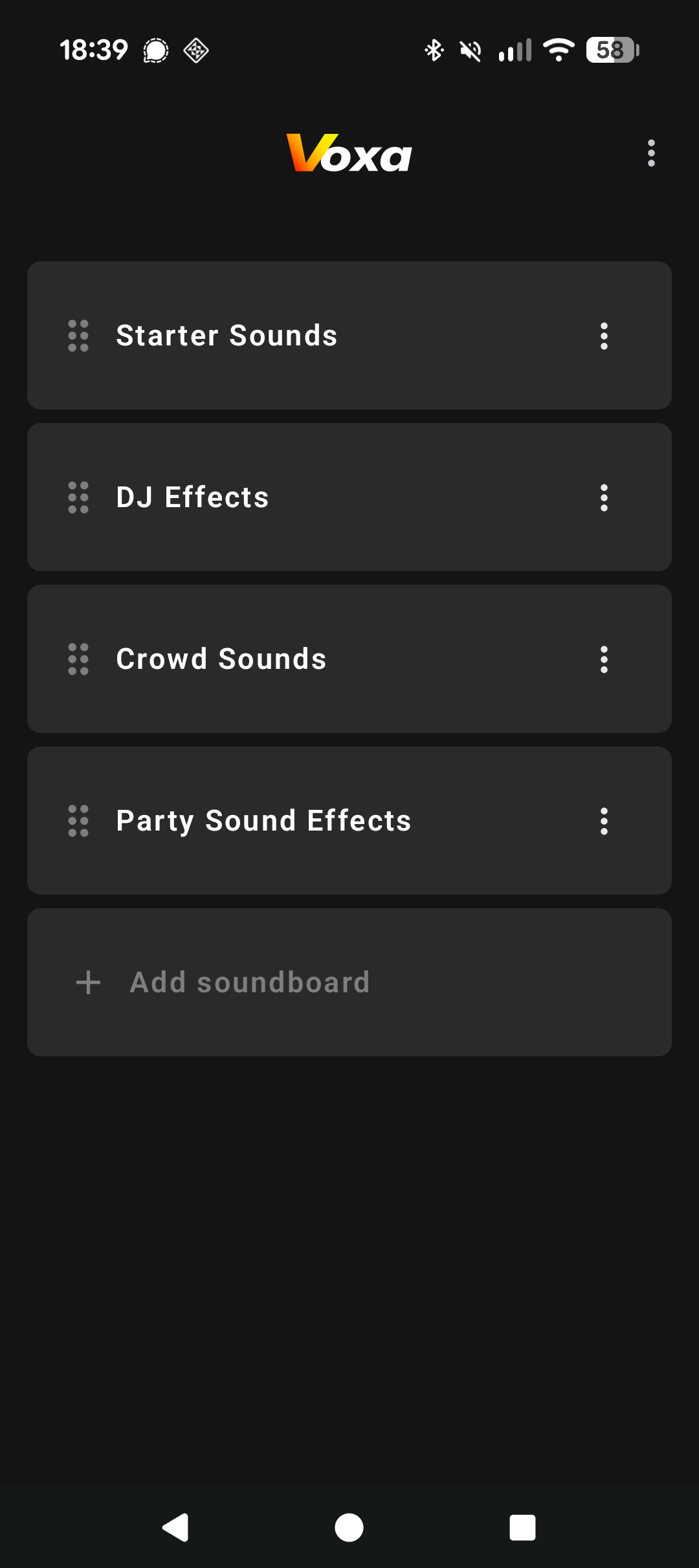
badge on each soundboard row - an icon plus a number - into one
announcement (“3 sounds playing”, via a plurals resource)
rather than reading the glyph and the digit separately.
Everyday coverage
Beyond those specific cases, every custom clickable/
combinedClickable modifier throughout the pad grid, list
rows, and reorder controls is given role = Role.Button so
TalkBack announces the correct affordance rather than a generic
“double-tap to activate”. Icons are audited one by one:
purely decorative ones (checkmarks next to already-labelled text,
lightbulb tips) get contentDescription = null so TalkBack
skips them, while meaningful ones - the drag handle, missing-file
warning, mic pause/resume - carry real, localised descriptions. Volume
and fade sliders get their setting name
attached via Modifier.semantics { contentDescription = … }
so TalkBack announces “Fade duration” rather than just “Slider”.
05 Screenshots
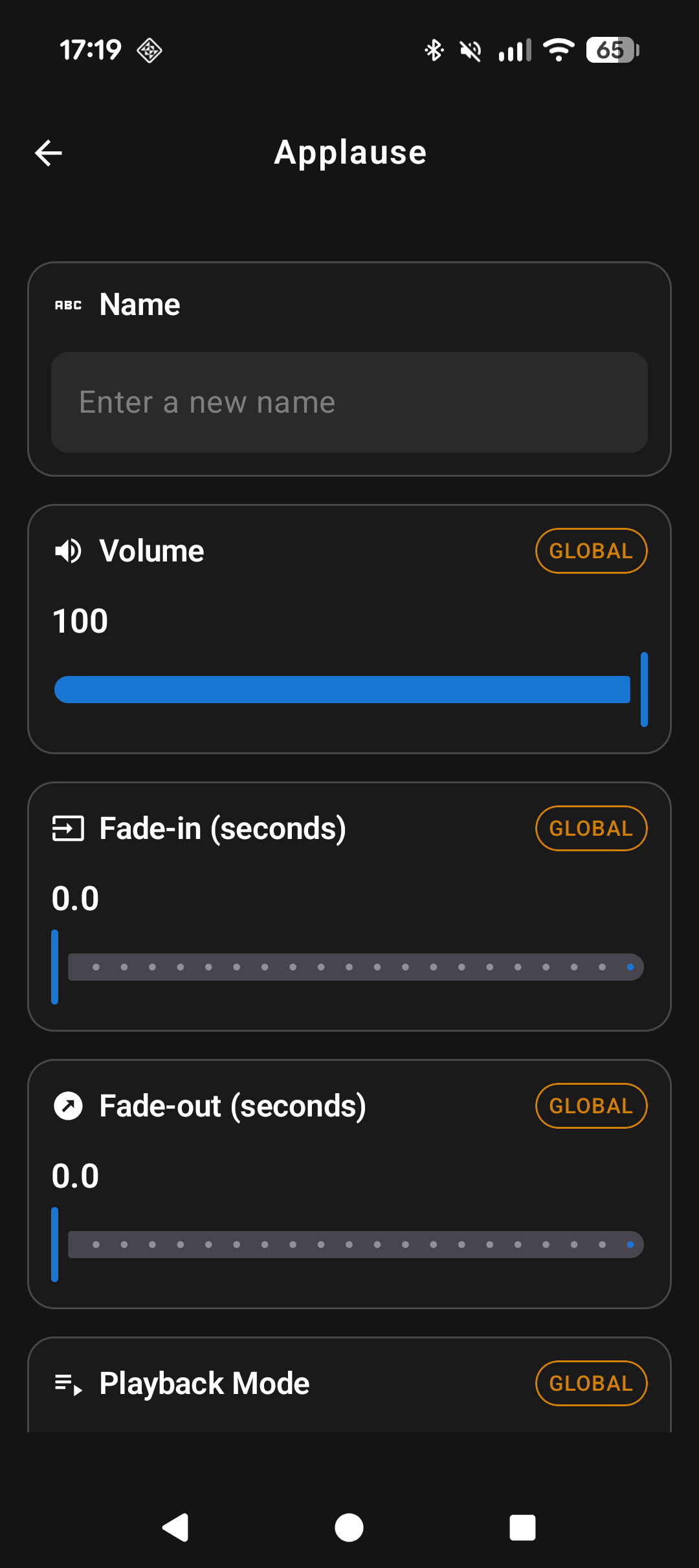
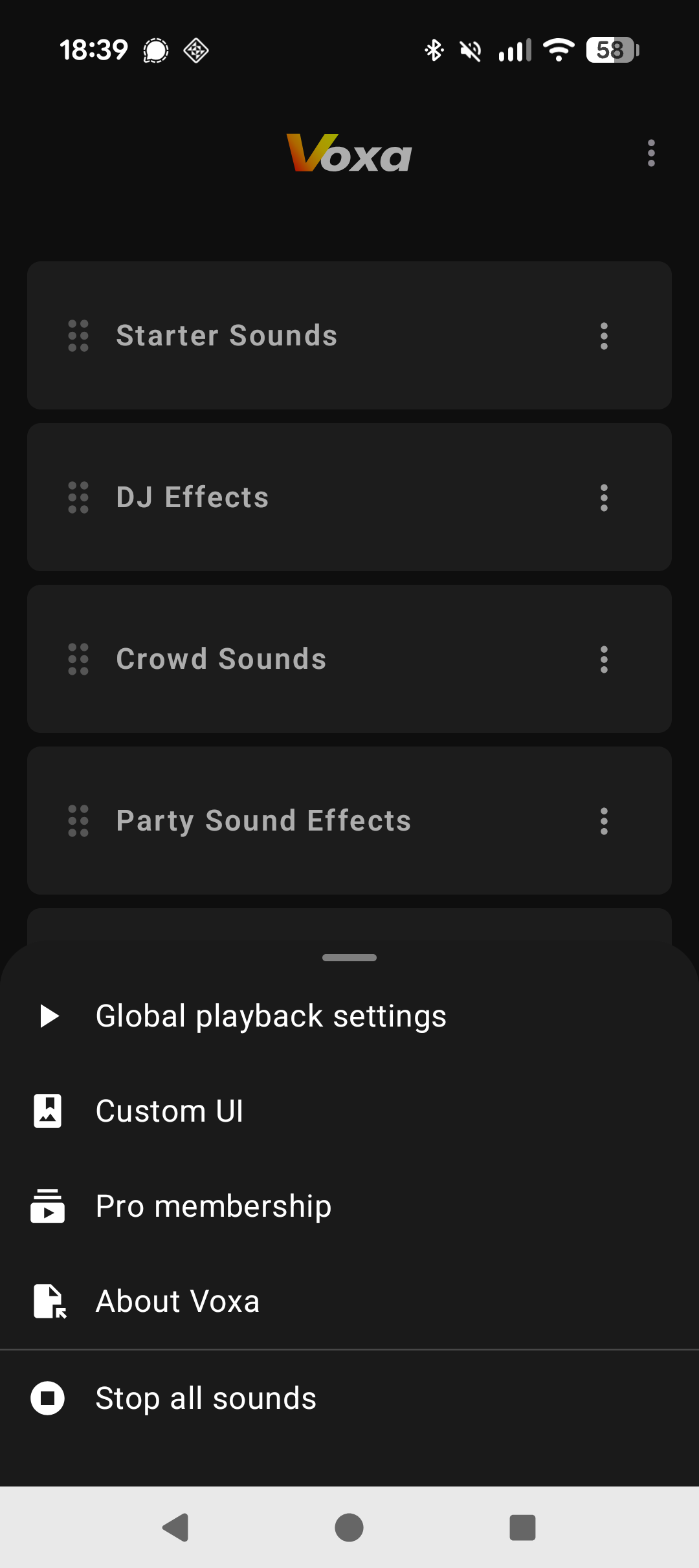
Demo video
06 Architecture - key components
The audio layer is kept isolated from the ViewModel layer: the
SoundPlayer interface is bound in a Hilt
module, so the ViewModel never imports ExoPlayer directly. Parameter
changes (gain, fade duration, repeat mode) are dispatched through
SoundPlayer interface calls; playback state flows back up as
StateFlow the ViewModel collects and merges into its
UiState.
07 Testing approach
- Unit tests on ViewModels using
Turbine to assert on
Flowemissions and Coroutines Test to control virtual time, backed by fake repository implementations. - Instrumented tests - Room DAO query correctness and Compose component behaviour.
- Truth (Google’s fluent assertion library) throughout for readable failure messages on entity equality checks.
- Automated CI - a GitHub Actions workflow triggers the
full Firebase Test Lab run every 8 hours (midnight, 08:00, and 16:00 UTC) via a
scheduled
cronjob, as well as whenever a version bump is detected (i.e. a new release is being built), so regressions surface without any manual intervention. The workflow builds both the app and test APKs, authenticates to Google Cloud, and reports results to a dedicated GCS bucket. - UI regression testing - I first tried AGP’s native
Compose Preview Screenshot Testing plugin, which renders existing
@Previewcomposables directly with no extra test harness, but ran into several issues setting it up. I switched (for now) to Paparazzi, a screenshot-testing library with years of production use that runs ordinary JVM unit tests with no special source-set configuration — it was easy to set up with no roadblocks. I plan on revisiting the native plugin in a month or two, once it’s out of alpha.
08 Retrospective
Picking a well-supported stack meant most implementation work was
straightforward - ExoPlayer’s API is extensive and well-documented,
Hilt removes all of the boilerplate that would otherwise be needed,
and Room’s Flow integration maps cleanly onto Compose’s
state model.
The parts that required the most care:
- Playback constraint logic. Loop mode, overlap mode, and tap action have mutual exclusions that need to be enforced at the settings layer - enabling loop requires tap action to be “Stop”, overlap can’t coexist with loop, and so on. I took some time to think through how best to model this. I landed on showing a Dialog to the user when they attempt to do anything that would break the required constraints. This way, I can ensure that we never get into a position where settings conflict with one another.
- Importing sounds. When a user selects a sound, it is imported into the app storage. This ensures that we don't lose permissions to play that sound back in the future, and also means that if users delete sounds from their devices, they will still be present in Voxa. I needed to ensure that once a sound is imported once, it won't be repeatedly imported every time the same sound is added to a different soundboard. I did this by opening a ContentResolver input stream directly from the source URI, which then reads through it in chunks and hashes it all to a 64-character lowercase hex string.
- Dynamic toolbar state. The toolbar uses a
controller-plus-
CompositionLocalpattern. A singleToolbarControllerowns the toolbar’s state and is injected into the entire Compose tree via aCompositionLocal; any screen can callupdate()without prop drilling. The controller is a thin wrapper aroundmutableStateOf, so the toolbar UI inMainActivityreacts to changes automatically. Screens describe what they need declaratively - a title, which buttons to show, and what those buttons should do - rather than imperatively manipulating a shared view. The toolbar renders once based on that description, keeping toolbar UI logic centralised and each screen self-contained. The clearest example isSoundboardScreen, which supports reorder and bulk-delete modes: rather than building mode-switching logic into the toolbar itself, the screen re-callsupdate()whenever its mode changes, passing a differentToolbarState. The toolbar has no knowledge of modes - it renders whatever state it receives.
09 Ideas for future features
-
MIDI input - Android’s
android.media.midiAPI (available from API 23) supports both USB-MIDI and BLE-MIDI devices natively, with no third-party library required. The plan:- A
MidiInputServicerunning as a foreground service (required for BLE-MIDI on Android 12+) that enumerates connected devices and subscribes to their input ports. - Incoming MIDI note-on and CC (Control Change - e.g. knobs, faders,
sustain pedals) events are routed through the existing
SoundPlayerinterface, so the audio engine needs no changes - MIDI is just another source of playback triggers. - Users map a MIDI note or CC number to any pad in a per-soundboard mapping table stored in Room. Switching soundboards swaps the active mapping, so a DJ controller profile survives a scene change.
- A velocity-to-gain curve translates note velocity to the pad’s effective volume, giving expressive dynamics from a keyboard or drum pad.
- A
- Compose multiplatform exploration - the core business logic is Kotlin, but a full migration would require abstracting the audio import pipeline, media metadata reading, file I/O, and data persistence layers, in addition to replacing the ExoPlayer audio backend.